Best iOS 14 Features That You Must Update And Try Right Now
Dhir Acharya - Sep 18, 2020
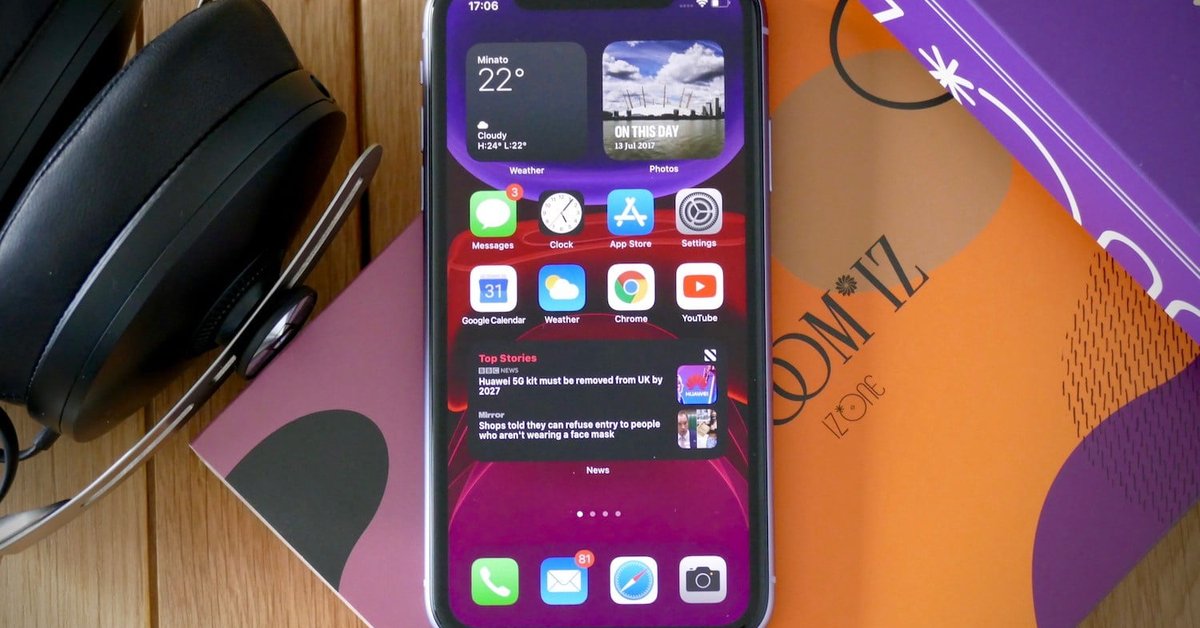
Apple has released the new operating system for the iPhone. There's a lot of enjoy, but here are the best iOS 14 features you must try as soon as possible.
- The iPhone 18 Pro Camera Upgrade Is The Biggest Change In Years
- Apple's Liquid Metal Hinge Poised to Deliver Breakthrough for Foldable iPhone After 16 Years of Quiet Research
- iOS 26.5's Under-the-Radar Features: Secret iPhone Tools You Need to Try
It’s easy to install the new iOS 14 operating system, but what next? The good news is Apple has packed a bunch of new features aimed to change how you use the iPhone. From a new app-drawer to improvements in iMessage, there is a lot for you to enjoy. However, here are the best iOS 14 features that you must try right now.
Table of Contents
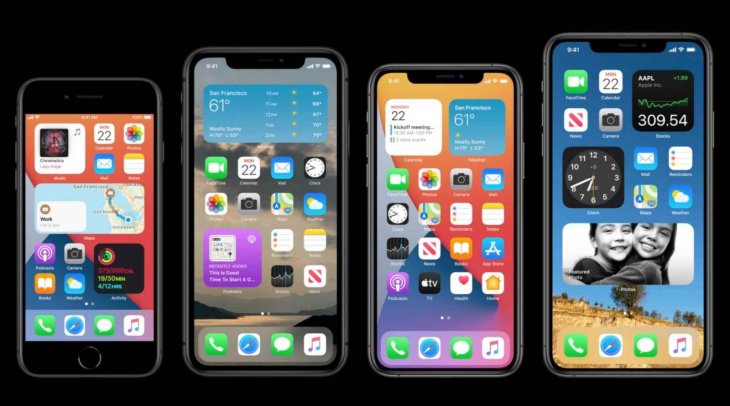
iOS 14 release date and useful information
Announced on June 22 at the Worldwide Developer Conference, iOS 14 public beta was available for users at the time so they could test and try new features. But the operating system was officially released on September 16, after Apple’s Time Flies event.
In case you’re wondering if your device can be upgraded to iOS 14, all the iOS 14 supported devices are in the following photo:
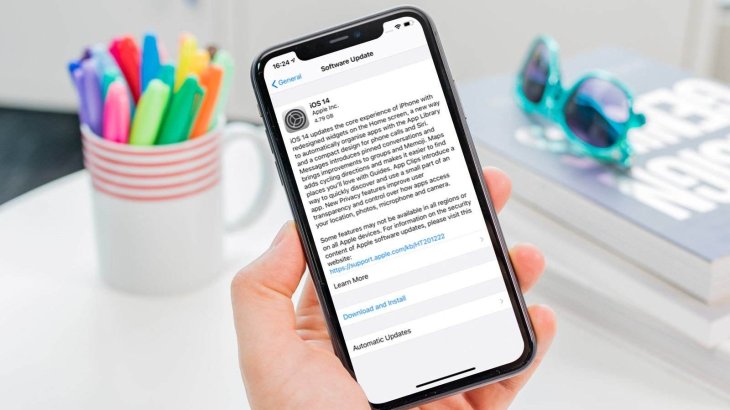
If you don’t know how to iOS 14 download, it’s very easy. All you have to do is updating your software by following these steps:
- Make sure the device is connected to the internet.
- Open Settings > General > Software Update.
- Tap on Download and Install. The phone may request to remove apps if the software needs more space, you can choose Continue or Cancel. But if you proceed, the operating system will reinstall the apps it removes.
- Tap on Install. Otherwise, you can tap on Later to choose Remind Me Later or Install Tonight.
- Type in your passcode if asked, and you’re done.
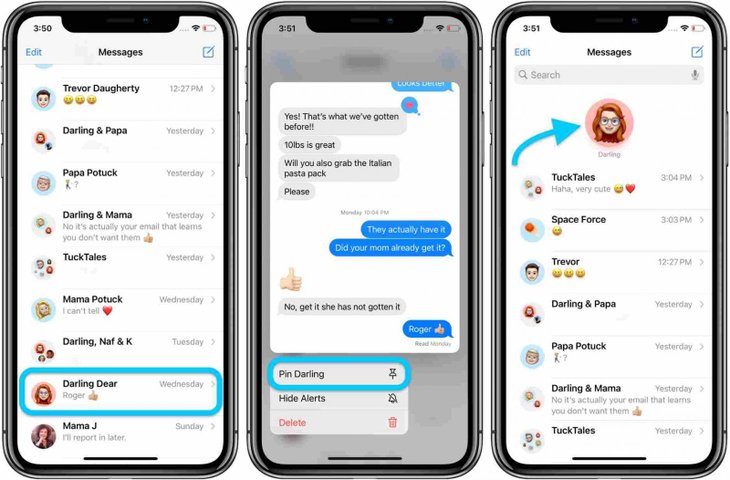
Pin your favorite conversation
If you don’t want to spend time scrolling down, searching for a specific conversation in the Message app, this feature will help you. It allows you to pin a chat to the top of the message list, which is extremely helpful for a family chat or any conversation you prioritize at the time.
To pin a conversation, you just need to swipe to the right across the thread on the conversation list.
Tag someone in an iMessage conversation
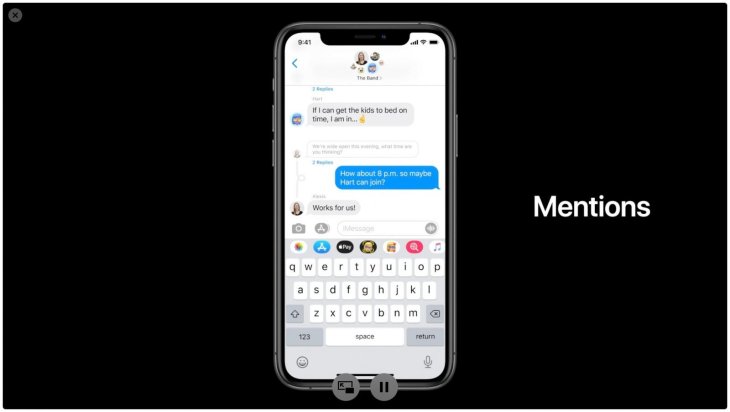
This feature focuses on group conversations in iMessage. Now, you can tag a participant of the conversation if you want their attention or directly reply to their message. To do this, you just need to type the @ symbol right in front of the name of the person you want to tag. To reply to a participant’s message, you just need to long-press on their line and tap on Reply.
Revamped home screen
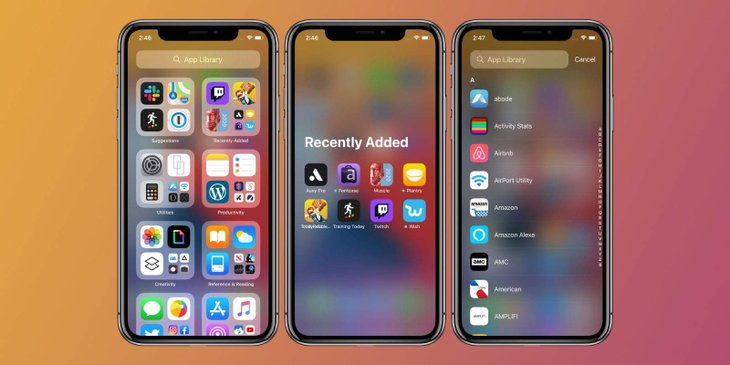
Your iPhone will now have App Library, an app drawer similar to Android phones. It’s a new screen living to the right of the final home screen, which divides apps into categories and put them into respective folders. With this new feature, you should be able to find apps more easily and quickly. It comes alongside a new home screen feature allowing for hiding pages of apps not used frequently.
You can use the App Library to launch an application that’s not on a home screen. All you need to do is swiping from right to left until you’re past the last home screen. You can either find an app by browsing folders or search the app’s name in the search bar located at the top of the screen. At top of the App Library, you will also see two folders, namely Recently Added and Suggestions. Both these folders will automatically update and change the apps’ location based on their use frequency and newly installed apps.
An inbuilt Translate app
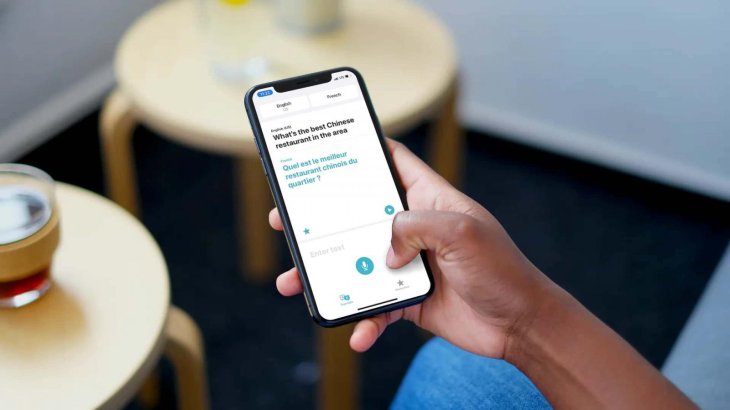
The third one on the list of iOS 14 features to try is a new app for iPhone users. From now on, instead of using Google Translate, you can turn to Apple’s inbuilt Translate app to translate text from one language to another. The app supports English, French, Mandarin Chinese, Spanish, German, Japanese, Italian, Arabic, Korean, Russian, and Portuguese.
When you go to the app, there are two options. You can enter the text that needs translating or tap the microphone icon to use the voice-to-text mode. When you are done, the application will convert the text into a language you choose. The app is especially helpful when you need a quick translation or hear a word’s pronunciation.
If you need to translate text constantly to keep a conversation going on, you can rotate the device to the landscape mode then tap the mic icon.
Picture in Picture
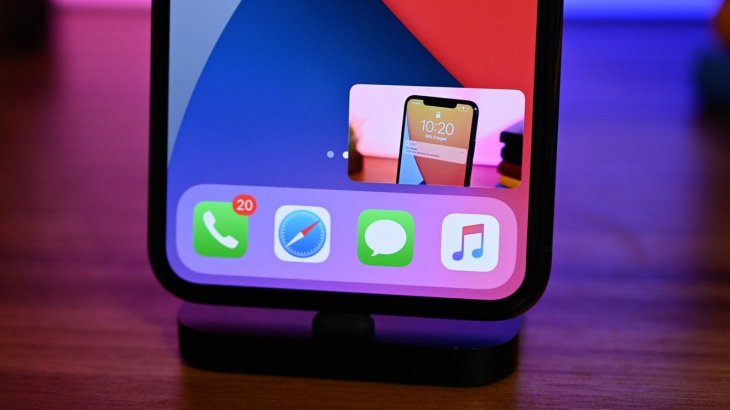
Your iPhone can now play a video picture-in-picture. Essentially, this feature generates a thumbnail image of the video, which keeps playing even if you open another app. It will appear when you need to switch gears for doing a different task on the handset but want the video to keep going.
This feature is only available for supported apps like Twitch. When watching a video on the platform, you just need to swipe to the home screen, the video will continue in a smaller window. You can drag this window around the display and adjust its size, or hide it temporarily.
New widgets, new home
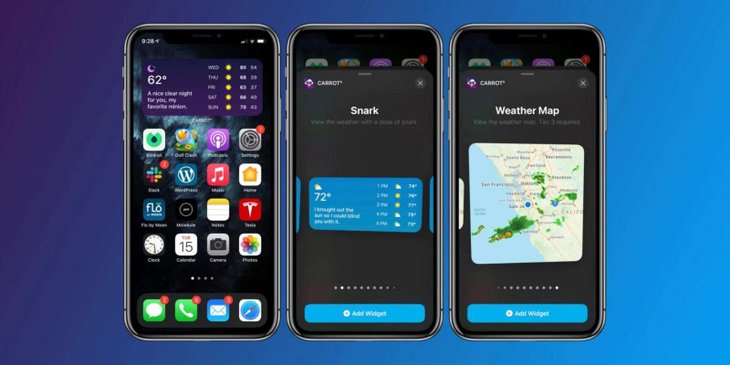
The next feature we want to introduce on the list of iOS 14 new features is one that brings widgets to the home screen. Previously, Widgets were found in the Today Views on the left side of the home screen, but from now on, you can add them directly to the screen with multiple options of sizes. There will also be a Smart Stack widget to show information about multiple apps if you need it. For instance, as you wake up, you will see the weather and calendar apps.
To view Widgets, you can either turn to the left side of the home screen or drag and drop a widget from Today View to the home screen. On the other hand, when you edit the app layout, you can tap the plus icon on the top-left corner of the display, the widget gallery will show up and you can add any widget to the device.
>>> Serious iOS 14 Bugs Drain iPhone 11 Battery By The Minute And Knock Apple Logo Off-Center
Featured Stories

ICT News - Sep 19, 2026
Washington Acknowledges Operational Weapons in Earth Orbit

ICT News - Aug 04, 2026
Telegram Vanishes from Apple App Store Worldwide

ICT News - Jul 31, 2026
Russian Buyer Finds Water Bottle in $1,125 Graphics Card Box

ICT News - Jul 29, 2026
The RAM Crisis: Graphics cards shoot up in prices again

ICT News - Jun 27, 2026
OpenAI Launches Limited GPT-5.6 Preview Amid U.S. Security Review

ICT News - Jun 16, 2026
Elon Musk Becomes World's First Trillionaire After SpaceX's Record IPO

ICT News - Jun 14, 2026
The Technological Revolution at the 2026 FIFA World Cup

ICT News - Jun 03, 2026
Apple's Liquid Metal Hinge Poised to Deliver Breakthrough for Foldable iPhone...

ICT News - May 29, 2026
New Glenn Rocket Explodes in Massive Fireball During Static Fire Test at Cape...

Mobile - May 24, 2026
Comments
Sort by Newest | Popular