Transforming Android: New Desktop Mode Makes Phones PC-Capable
Marcus Aurelius - Mar 08, 2026
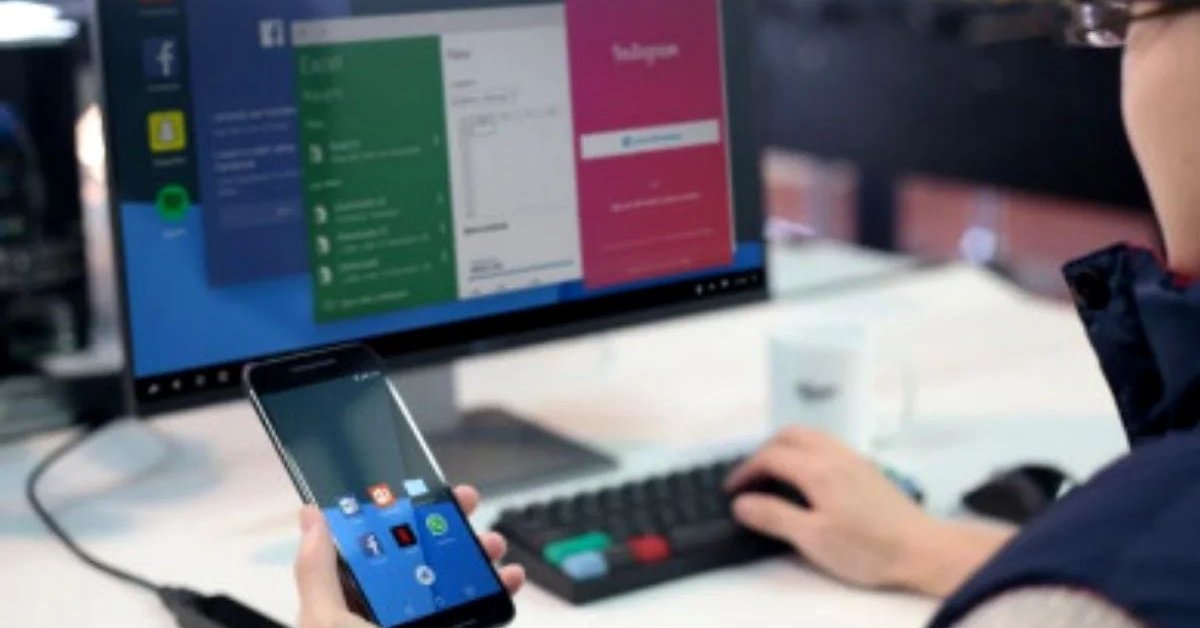
This update marks an exciting era for Android, empowering users to do more with their everyday devices.
- Android 17 Beta 1 Now Available for Pixel Devices
- These Are Must-Have Apps For Rooted Android Phones
- Build Your Own App And Earn Money With The Complete Android 11 Developer Bundle
In a significant leap forward for mobile computing, Google has rolled out a native desktop mode for Android devices, allowing users to transform their smartphones into portable PCs. This feature, introduced as part of the Android 16 QPR3 update in the March Pixel Drop, bridges the gap between mobile and desktop experiences, enabling multitasking on larger screens with familiar peripherals.
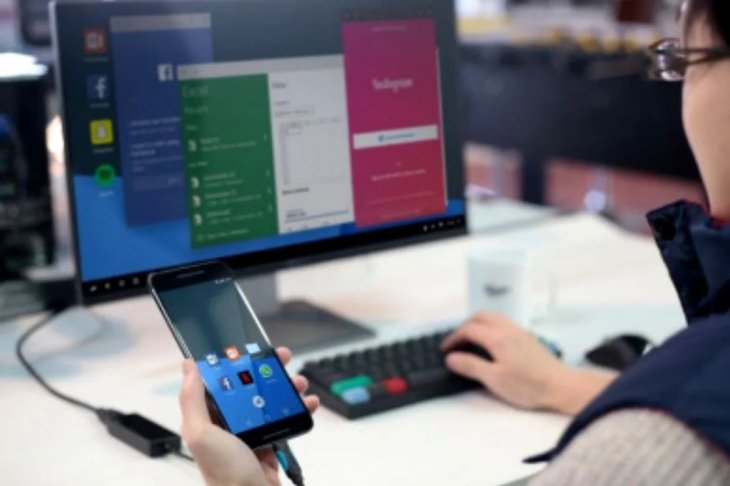
The Update: Android 16's Desktop Mode
The desktop mode is a built-in feature in Android 16, designed to provide a PC-like interface when connected to an external display. Unlike previous iterations that were hidden in developer options, this version is polished and user-friendly, with improvements addressing common issues like window management and input support. It supports resizable windows, side-by-side multitasking, and a taskbar or dock at the bottom of the screen for easy navigation.
This update aligns Android more closely with specialized features like Samsung's DeX, which has long allowed Galaxy users to switch to a desktop environment. Now, native Android desktop mode offers a viable alternative, potentially standardizing this capability across more devices.
Compatible Devices
Currently, the feature is available on Google Pixel 8 series and newer models, including the Pixel 9 and Pixel 10. Samsung has also integrated it into their latest lineup, such as the Galaxy S26, Galaxy Z Flip 7, Galaxy Z Fold 7, and Galaxy Tab S11 series. For tablets like the Pixel Tablet, the mode enables desktop windowing directly on the device, with the option to extend to an external display for a dual-monitor setup.
Other manufacturers may adopt this with future updates, possibly in Android 17, expanding accessibility beyond Pixel and Galaxy ecosystems.
How to Use Desktop Mode
Getting started is straightforward. Connect your compatible Android device to a USB-C compatible monitor or TV. The system automatically switches to desktop mode, displaying a multi-window interface. Pair a Bluetooth or USB keyboard and mouse for precise control - no additional setup required.
Users can drag and resize app windows, multitask with multiple apps open simultaneously, and even create multiple workspaces for organized productivity. This setup is ideal for tasks like document editing, web browsing, or light content creation on the go.
Key Features and Benefits
- Resizable Windows and Multitasking: Run apps in freeform windows that can be adjusted and positioned side by side, enhancing productivity.
- Peripheral Support: Native compatibility with mice, keyboards, and external displays for a seamless PC experience.
- Extended Display Options: For tablets, transfer windows between the device screen and external monitor, mimicking a multi-monitor workstation.
- Security and Updates: The March Pixel Drop includes vital security patches alongside this feature, ensuring a safe environment.
This development reduces the need to carry separate laptops for basic computing, making Android devices more versatile for professionals and casual users alike.
Looking Ahead
With rumors of Aluminium OS - an Android-based platform for PCs - slated for 2026, this desktop mode could be a precursor to broader convergence between mobile and desktop computing. As Google continues to refine these features, Android phones may soon rival traditional PCs in functionality, blurring the lines between device categories.
Featured Stories

Mobile - Oct 12, 2026
Apple iPhone 20th anniversary edition: Everything we know so far
Mobile - Oct 09, 2026
Are Heat Mitigation Cases for Phones Effective?
Mobile - Oct 07, 2026
Galaxy S27 Ultra Could Restore the Screen Quality Buyers Missed on the S26 Ultra
Mobile - Sep 23, 2026
Motorola Signature 27 Debuts With 200MP Zoom and Extreme Snapdragon Power
Mobile - Sep 18, 2026
The $1,999 iPhone Duo Still Carries Foldables' Oldest Flaw
Mobile - Sep 17, 2026
The iPhone 18 Pro Camera Upgrade Is The Biggest Change In Years

Mobile - Jun 11, 2026
Top Camera Phones Under ₹35,000: 2026 Edition Picks
Mobile - Jun 06, 2026
iOS 27 Promises Major Battery Gains for iPhones

Mobile - Jun 01, 2026
Honor Defies Expectations with a 10,000mAh Gaming Phone Just 7.98mm Thick
Mobile - May 30, 2026
Comments
Sort by Newest | Popular