How To Transfer Your Data To The New iPhone
Aadhya Khatri - Sep 26, 2019
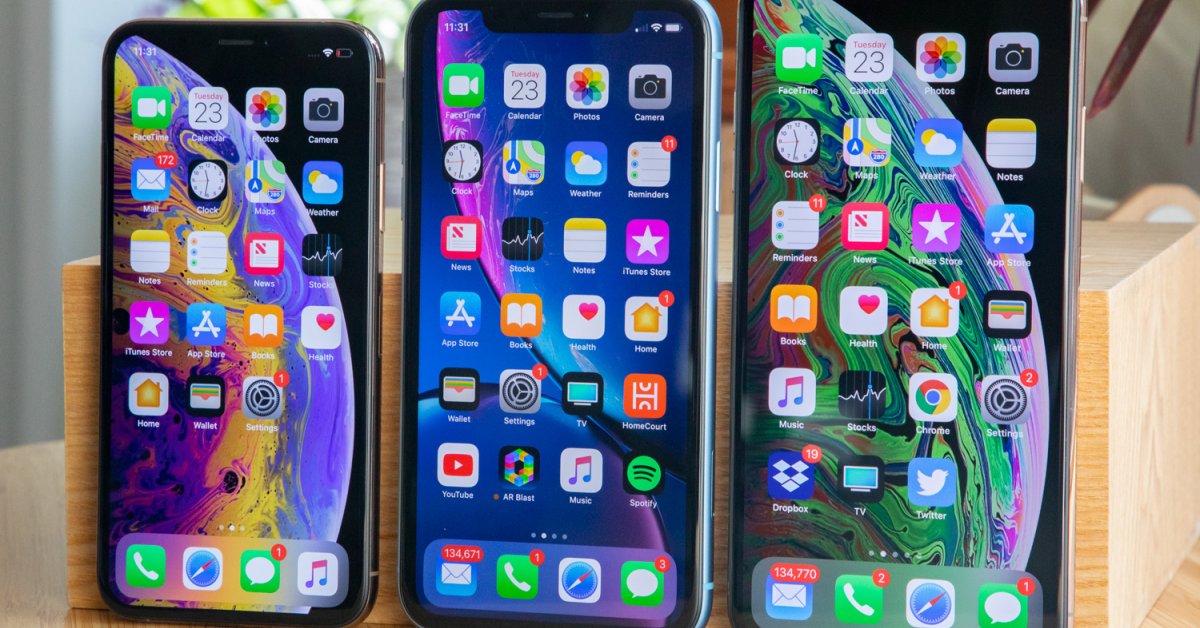
With iPhone migration, your apps, data, and ID will be directly moved to the new phone. Here is how to do that
- iPhone 12 Color Is Fading Away Quickly And No One Knows Why
- iPhone 11 Still Works After Being Submerged In Water For 6 Months
- Apple Starts Selling Refurbished iPhone 11, 11 Pro, And 11 Pro Max
New owners of iPhone 11, 11 Pro, and 11 Pro Max may have a great time trying out the new features Apple has given these phones, but first, they might want to move all the data and apps from the old phone to the new one.
That is actually an easy task, if your device has iOS 12.4 and above, it can get even easier.
While backing up your data is always a good idea, now you do not have to do that to transfer data. With iPhone migration, your apps, data, and ID will be directly moved to the new phone.
Here is how to do that:
Wireless Connection
Open your new phone. There will be some questions popping up asking things like which language you want to use. After you have gone through all of these quires, the device will invite you to move data from another phone to the new one, if you would like to do so, of course.
Plug in the two phones and place them next to each other.
When the two phones are connected, the new phone will display a pattern and the old one will open its Camera app with a circle. What you have to do is to hold the new phone so that the pattern is placed right in the middles of the blank circle on the old one.
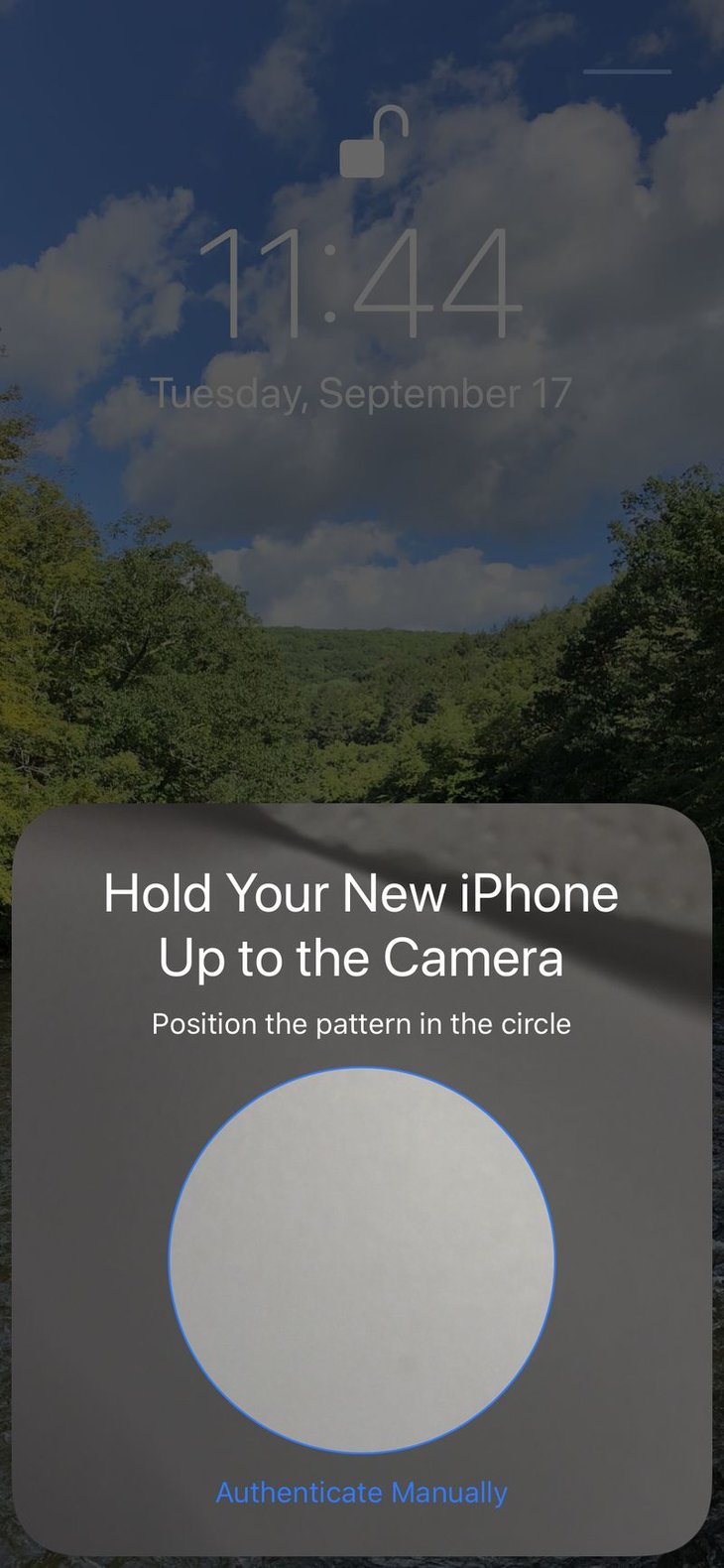
The next step is to focus your attention to the new phone to finish setting up.
When the phone asks, type in your Apple ID; the device will also ask whether you want Touch ID or Face ID set up.
The new phone will display various screens, including terms and conditions before the transferring process can start. Other queries are about setting up Siri, FaceTime, iMessage, location and analytics sharing.
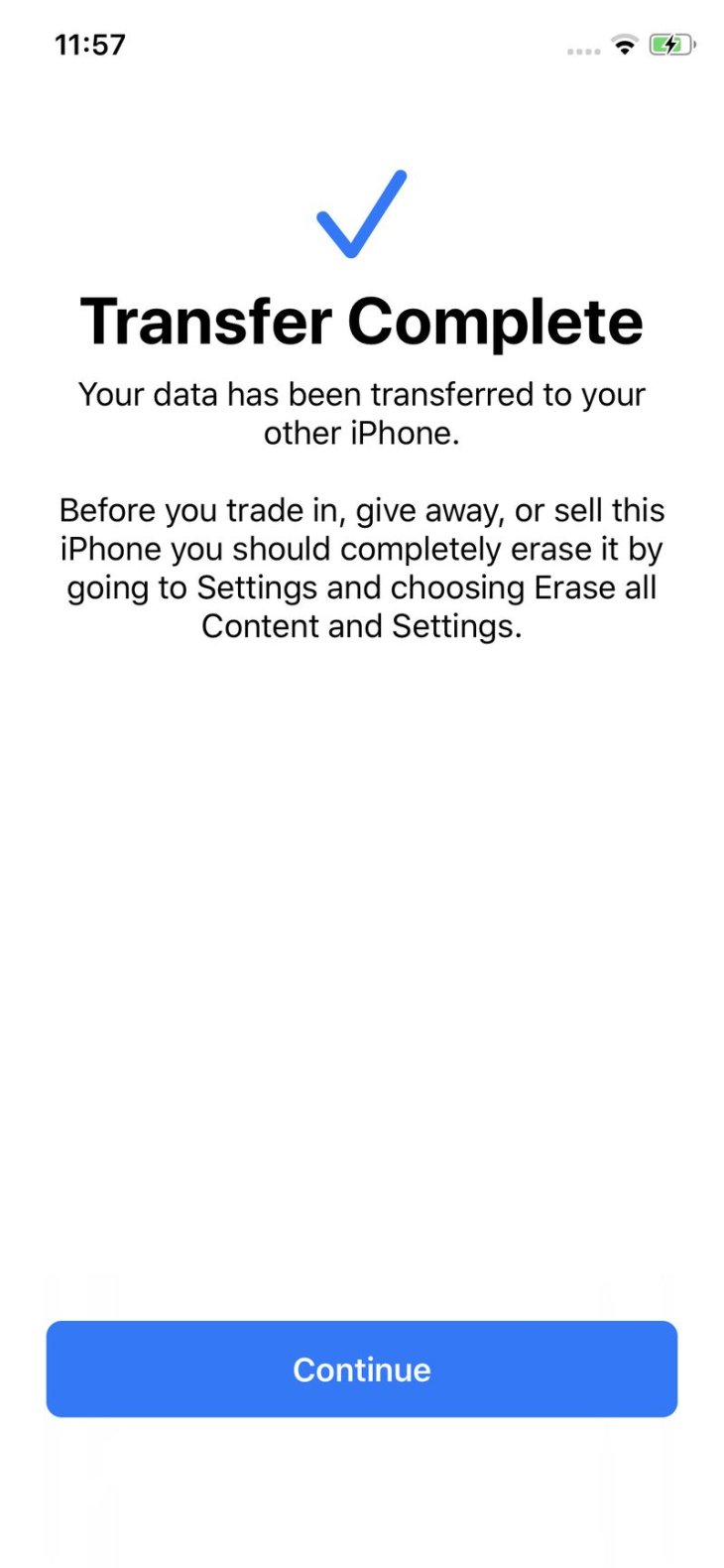
When you have done with these screens, the moving of data will start. If you have been using the old phone for long and have lots of data on it, the process may take pretty long. That is why we need these two devices plugged in the first place.
When the process is done, sign in to the new iPhone.
Wired Connection
One of the handiest features of Migration is that data transferring can happen when the two devices are connected with a cable. If you do not have a reliable Wi-Fi connection, this second method can be quite useful. And if the wireless transfer does not work for you, this can be a good alternative.
What you need are a Lighting to USB cable and a Lighting to USB 3 camera adapter for a wired transfer.
Much like with the wireless method above, open the new phone and go through all of the queries to the step that the device asks you to move data from your old phone.
Again, place the new phone next to the old one and plug both of them in to make sure that they have enough power for the whole process.
Connect the USB 3 camera adapter to the old phone and to the Lighting, as well as connect the new phone to the Lightning to USB cable. The adapter will join the two cables together. Power the adapter.
After the connection has been set up, repeat the steps from above with the pattern and the camera app. Answer the setting up questions too.
There will be an image of a cable between the icons two phones on the display.
The two methods should work equally effective for you.
Featured Stories

How To - Mar 04, 2026
Getting Started with AI: A Newbie's Simple Guide

Features - Jun 11, 2025
Best VPN for PUBG Mobile 2025: Lower Ping & Regional Access Guide

How To - Jun 04, 2025
What is a VPN? Your Complete Guide to Safe Virtual Private Networks

How To - May 29, 2025
Receive Buffers And Other Tips To Improve Your Internet Connection
How To - May 21, 2025
How to unlock a disabled iPhone: a step-by-step guide

How To - Mar 31, 2025
Elevate Your Online Presence: Partnering with a Small Business Digital Marketing...

How To - Aug 03, 2023
What is the Yo-Yo test in Indian Cricket?

How To - Jul 10, 2023
Top 7 Stats Sites Every Cricket Fan Must Know

How To - Apr 27, 2023
How much does it cost to start an online casino in 2023

Review - Oct 17, 2022
Betting on Sports Events in the Fairplay App
Read more

ICT News- Mar 29, 2026
FTC Takes Action Against Debanking Practices by Major Financial Firms
The Federal Trade Commission has sent warning letters to PayPal, Stripe, Visa, and Mastercard over concerns about debanking lawful businesses and consumers.

ICT News- Mar 31, 2026
DDR5 RAM Prices Finally Easing: Relief for PC Builders in 2026
After nearly a year of painful price surges that left many PC builders and gamers stunned, DDR5 memory is showing its first real signs of relief.
Comments
Sort by Newest | Popular