How To Delete Your Viewing History On Netflix
Aadhya Khatri - Sep 30, 2019

Here is how you can locate and delete your viewing history to get rid of the suggestions of Netflix based on your viewing history
- Netflix To Crack Down On Password Sharing, For Real This Time
- You Can Now Watch Netflix Even Without An Internet Connection
- Netflix Download Limit – Everything You Need To Know
People sometimes choose the wrong shows and movies to watch on Netflix; but the problem is, the app will continue suggesting you similar content based on something you watch for a few minutes and then decide to opt for another show.
If you are one of those subscribers, fear not, here is how you can locate and delete your viewing history to get rid of these suggestions for good.
Desktop
From desktop, head to Netflix.com and sign in to your account.
On the top right, click on the drop-down menu and select your account.

Scroll down and find “My profile” and choose “Viewing Activity.”
If you wish to hide something from your viewing history, click on the hide icon, which looks like a diagonal line inside of a circle.
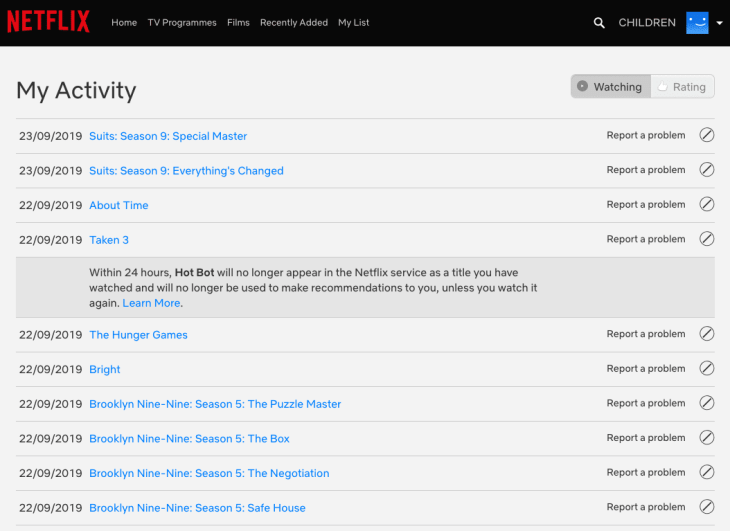
The title will then be removed, and Netflix will stop using it to suggest you content. However, if for some reason, you watch the title again, you will have to repeat the process all over again.
If you want to hide everything, there is a button for that too.
Android
On your device, open the Netflix app and sign in.
Look at the bottom right of the screen to find the three-bar button to get to your Account.
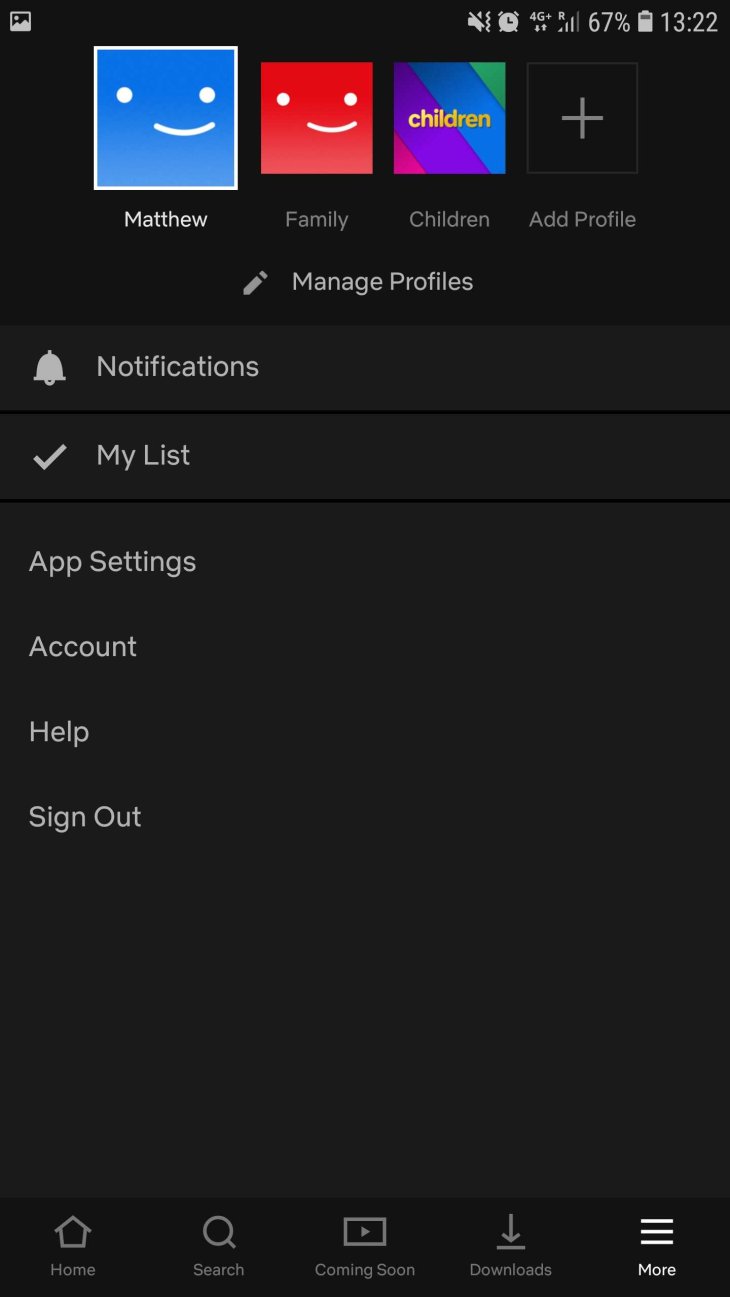
Select “Account” and you will be taken to a mobile-friendly web page.
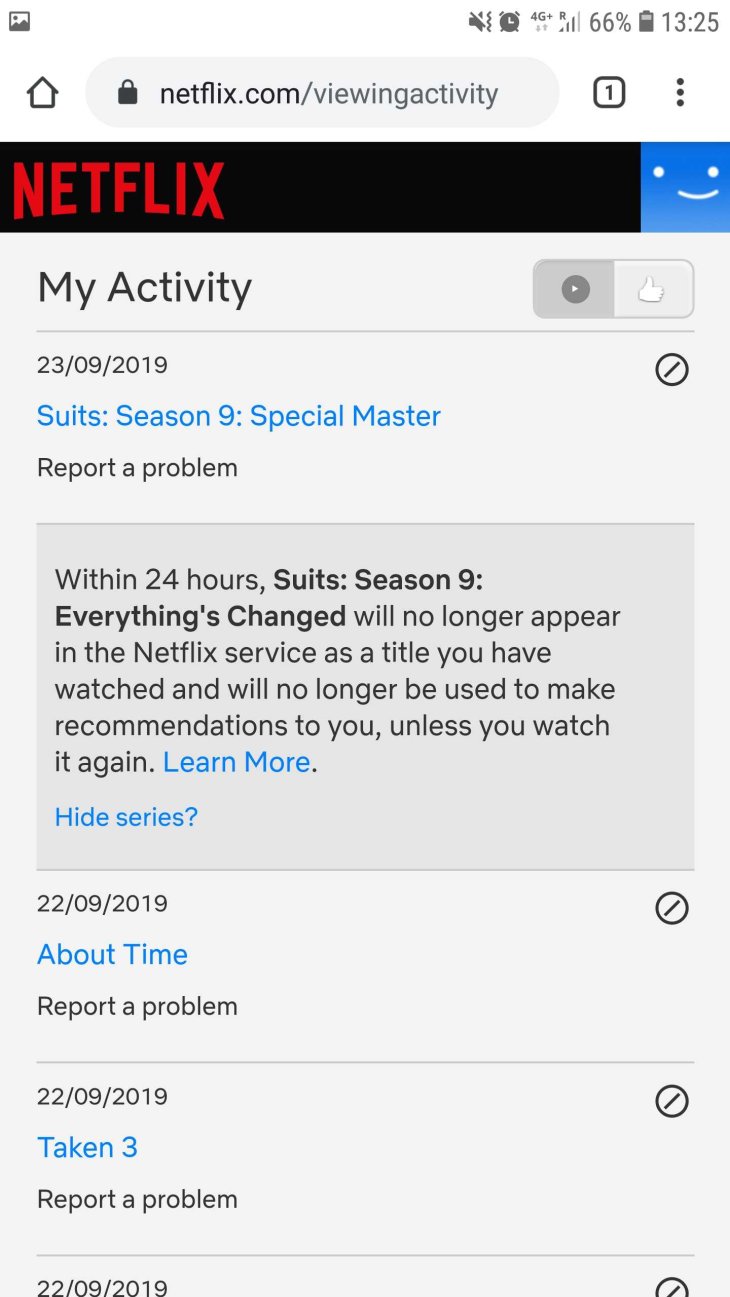
The next step is to click on “Viewing Activity” and remove the titles you do not want to keep in your viewing history.
iOS
Unlike Android, iOS does not allow users to remove titles from their viewing history. Even if you repeat the same steps, there will be a window telling you to do so on desktop. In this case, follow the instruction and go for the web version.
Featured Stories

How To - Mar 04, 2026
Getting Started with AI: A Newbie's Simple Guide

Features - Jun 11, 2025
Best VPN for PUBG Mobile 2025: Lower Ping & Regional Access Guide

How To - Jun 04, 2025
What is a VPN? Your Complete Guide to Safe Virtual Private Networks

How To - May 29, 2025
Receive Buffers And Other Tips To Improve Your Internet Connection

How To - May 21, 2025
How to unlock a disabled iPhone: a step-by-step guide

How To - Mar 31, 2025
Elevate Your Online Presence: Partnering with a Small Business Digital Marketing...

How To - Aug 03, 2023
What is the Yo-Yo test in Indian Cricket?

How To - Jul 10, 2023
Top 7 Stats Sites Every Cricket Fan Must Know

How To - Apr 27, 2023
How much does it cost to start an online casino in 2023

Review - Oct 17, 2022
Comments
Sort by Newest | Popular