How To Curb Your Roommate's Laziness: Google Assistant's 'Sticky Notes'
Anil - Jan 10, 2020

Don't worry, Google Assistant won't ruin your friendship with these cute 'sticky notes'.
- 13 Underrated Google Wallet Features Youre Probably Ignoring (And Theyre Not Credit Cards)
- Google Pixel Battery Scandal Illustrates Why Capacity Rules the Smartphone Market
- Google's Project Toscana: Elevating Pixel Face Unlock to Rival Apple's Face ID
Unlike other CES events in previous years, CES 2020 has seen Google come along without any hardware introduction. Amidst the waves of fancy foldable screens and monitors in this year’s CES, the company instead aimed to showcase a dedicated package of skills that will soon take place in its virtual assistant – Google Assistant.
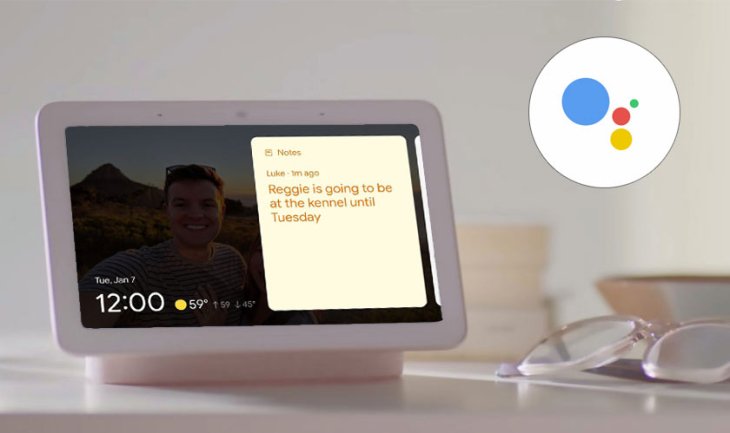
As projected, these brand-new features will arrive at Google Assistant in the year of 2020. Out of all, there is a handy feature that will draw a lot of attention from users around the world, called as “digital post-its”. Shortly, this will allows users to create and post sticky notes on compatible devices through Google Assistant.
The arrival of this feature is claimed to help people share notes with their family members and roommates whenever they have to keep in mind something important that you want them to complete. These sticky notes will automatically get their way to others’ Android-enabled smart displays. For instance, your roommate will remember to turn off the air-conditioner when hanging out, or your wife will be noticed that you’ll eat out with your high-school friends at night. So, leaving a digital “post-its” on a smart display won’t let us miss our must-do every-day works.
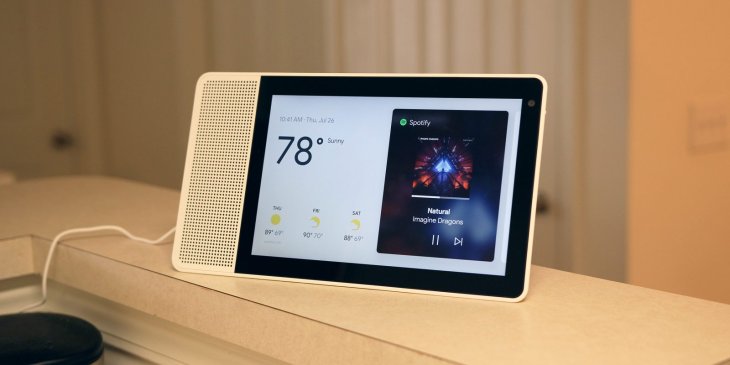
To create a sticky note on your smart display, you just need to summon the virtual assistant with a voice command like “Hey Google, leave a note to tell that I’ll be back at 11 pm tonight.” What’s more, people in your family can view the note or make similar ones without having a Google account signed in.
Apart from “sticky notes,” a slew of Assistant’s newcomer skills are set to approach users in the coming months, according to Google.
Featured Stories

How To - Mar 04, 2026
Getting Started with AI: A Newbie's Simple Guide

Features - Jun 11, 2025
Best VPN for PUBG Mobile 2025: Lower Ping & Regional Access Guide

How To - Jun 04, 2025
What is a VPN? Your Complete Guide to Safe Virtual Private Networks

How To - May 29, 2025
Receive Buffers And Other Tips To Improve Your Internet Connection

How To - May 21, 2025
How to unlock a disabled iPhone: a step-by-step guide

How To - Mar 31, 2025
Elevate Your Online Presence: Partnering with a Small Business Digital Marketing...

How To - Aug 03, 2023
What is the Yo-Yo test in Indian Cricket?

How To - Jul 10, 2023
Top 7 Stats Sites Every Cricket Fan Must Know

How To - Apr 27, 2023
How much does it cost to start an online casino in 2023

Review - Oct 17, 2022
Comments
Sort by Newest | Popular