Users Are Being Eavesdropped On Microsoft Cortana And Skype
Chitanis - Oct 04, 2019
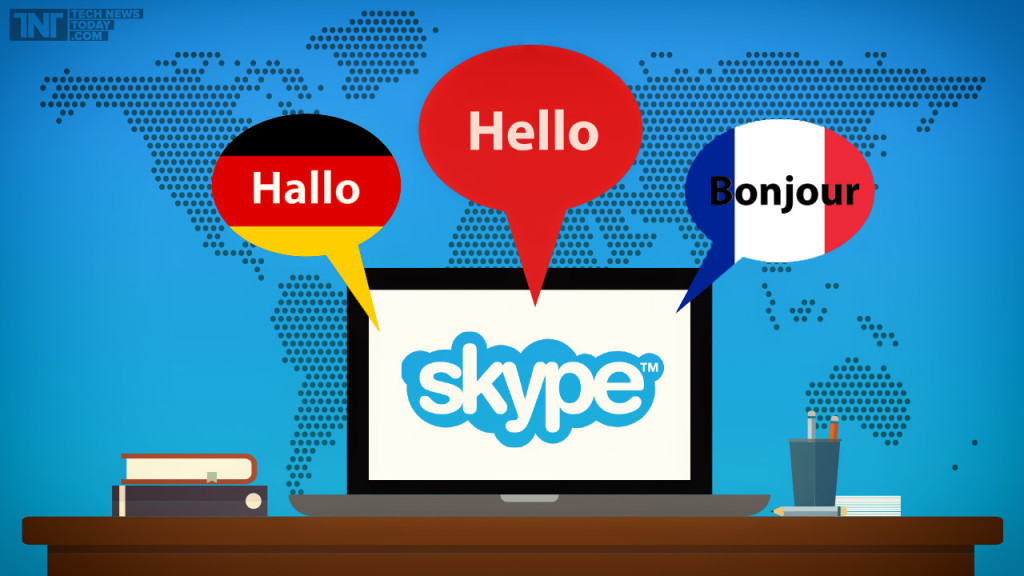
What you have said to Skype Translator and Cortana might be eavesdropped by Microsoft contractors to develop the translation feature's capabilities.
- The Ultimate Tech Betrayal: OpenAI's Nuclear Revenge Plot Against Sugar Daddy Microsoft
- Microsoft Notepad Gets Major Update: Bold Text, Hyperlinks, and Markdown Support
- Microsoft Surface: A Shift from Innovation to Stability?
Several companies start to reserve what you have told your phone or smart speaker and conversations will be used to develop their digital assistants. At the moment, your conversations on Cortana along with Skype Translator are possibly being eavesdropped by numbers of contractors.
As stated by Vice’s Motherboard, a Microsoft contractor had in hands 5-10-second recordings of users using the translation feature of Skype. In order to boost some capabilities of the feature, what people have said will be recorded and selected from a list of translations.
When Motherboard questioned Microsoft about the setup, the tech giant’s representative shared that these recorded conversations are made available via a secure online portal. This portal supposes to take undescribed steps to eliminate a user's identifying information. Nevertheless, it doesn’t prevent users from leaking their personal information when interacting with a virtual assistant such as Cortana. Also, there is no setup to stop contractors of Microsoft from analyzing these recorded data.
In a statement, Microsoft wrote:
“Microsoft collects voice data to provide and improve voice-enabled services like search, voice commands, dictation or translation services. We strive to be transparent about our collection and use of voice data to ensure customers can make informed choices about when and how their voice data is used. Microsoft gets customers’ permission before collecting and using their voice data.”
“We also put in place several procedures designed to prioritize users’ privacy before sharing this data with our vendors, including de-identifying data, requiring non-disclosure agreements with vendors and their employees, and requiring that vendors meet the high privacy standards set out in European law. We continue to review the way we handle voice data to ensure we make options as clear as possible to customers and provide strong privacy protections.”
Can what you have said on Skype not be sent to Microsoft?

The answer is no. On privacy FAQ for Skype Translator of Microsoft, there is no evidence showing that you are able to prevent the company from recording your spoken information. This practice is somewhat clear:
“When you use Skype’s translation features, Skype collects and uses your conversation to help improve Microsoft products and services. To help the translation and speech recognition technology learn and grow, sentences and automatic transcripts are analyzed and any corrections are entered into our system, to build more performant services. To help protect your privacy, the conversations that are used for product improvement are indexed with alphanumeric identifiers that do not identify participants in the conversation.”
It is somewhat because, in Microsoft’s FAQ, your speech was not said to be investigated by real people. According to this description, it may be totally a mechanical process. However, a machine can’t choose the correct translation that easily. The key idea is that the system needs to be trained better by human beings.
Besides, on Skype on the iOS platform, there aren't settings that allow you to deny this “improvement” process, yet it is a possibility that Microsoft can improve this approach in the future. It might be great if there is an opt-out switch, maybe an opt-in switch that allows voice data analyzing.
What about Cortana?
According to report notes of Vice, Cortana commands are contractors' favorite to eavesdrop. Despite that, you can choose to opt-out of this.
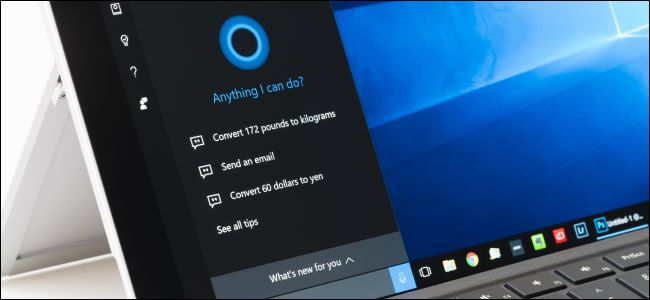
- Open the Settings app on Windows 10
- Choose Privacy
- On the left sidebar, choose Speech
- Turn the “Online speech recognition” off
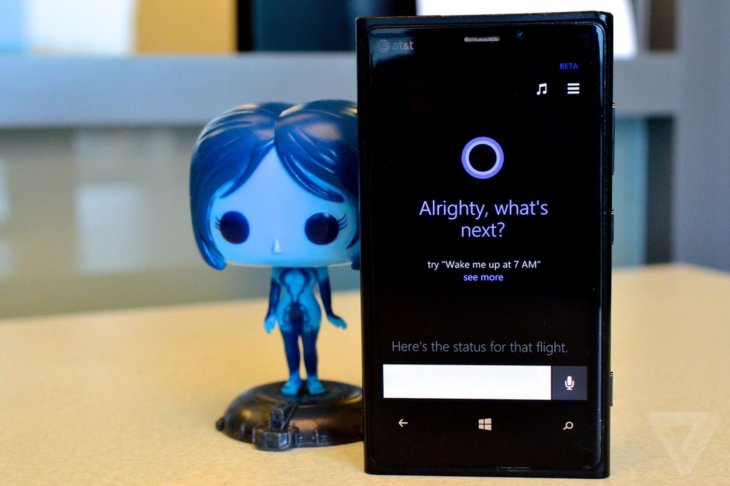
The problem here is that when you disable the feature, you also limit Cortana’s capabilities. Accessing information is still under control, but you can’t interact with Cortana. You can’t either talk to the app or have the app respond to you.
The solution here is to review the voice data stored by Microsoft regularly. You can do it by entering your Microsoft Account page. Choose the Privacy tab on the top. Then, look for “Voice Activity” and click the “View and Clear Voice Activity” button. In the data list, to the upper-right angle, find the “Clear Activity” link. Click it, then click Clear to delete every information.
However, this act can’t stop Microsoft contractors as it also depends on when you delete the data. You need to clear the box before your personal conversations are utilized to “improve Microsoft’s feature”. We don’t know exactly the time you have to erase your recordings or whether Microsoft has already got a copy of your speech, anonymizes it, then uses it instead.
In the end, the best way to ensure the privacy of your speech is to not use any service which processes your voice. However, it is a trade-off for better convenience. To take advantage of the digital app or assistant, you need to reveal some personal information so that it can understand what you are saying and respond to your commands.
Companies will soon need to understand that it’s necessary to let customers choose whether their conversations can be analyzed or not.
Featured Stories

How To - Mar 04, 2026
Getting Started with AI: A Newbie's Simple Guide

Features - Jun 11, 2025
Best VPN for PUBG Mobile 2025: Lower Ping & Regional Access Guide

How To - Jun 04, 2025
What is a VPN? Your Complete Guide to Safe Virtual Private Networks

How To - May 29, 2025
Receive Buffers And Other Tips To Improve Your Internet Connection

How To - May 21, 2025
How to unlock a disabled iPhone: a step-by-step guide

How To - Mar 31, 2025
Elevate Your Online Presence: Partnering with a Small Business Digital Marketing...

How To - Aug 03, 2023
What is the Yo-Yo test in Indian Cricket?

How To - Jul 10, 2023
Top 7 Stats Sites Every Cricket Fan Must Know

How To - Apr 27, 2023
How much does it cost to start an online casino in 2023

Review - Oct 17, 2022
Comments
Sort by Newest | Popular