iPhone X and Android Pie Gestures Now Come To Your Old Phones, Thanks To These Apps
Dhir Acharya
The following apps will help you experience similar gestures with the ones on iPhone X or Android Pie phones.
- Guide to Sharing Your Contact Card via the mAadhaar App
- Australian Man Sues Apple For His Exploding iPhone X
- Looking For An iTunes Alternative? Check Out These 10 Apps
Your phone is not an expensive iPhone X or it does not run on the fancy Android Pie, but you still have the desire to know how gestures work on these high-class phones and operating systems?
Fine, you'll get it. The following apps can help you. And they are all available on the Play store.
Fluid Navigation Gestures
This app mimics the iPhone X controls.
This app will provide you with a lot of swiping gestures which allow customization. The app can read swipes from the left and the right edge of the phone, and also three distinct zones along the screen’s bottom border. Each zone has two functions, enable the first one with a quick flick of your finger along it and enable the other by swiping and holding.
X Home Bar
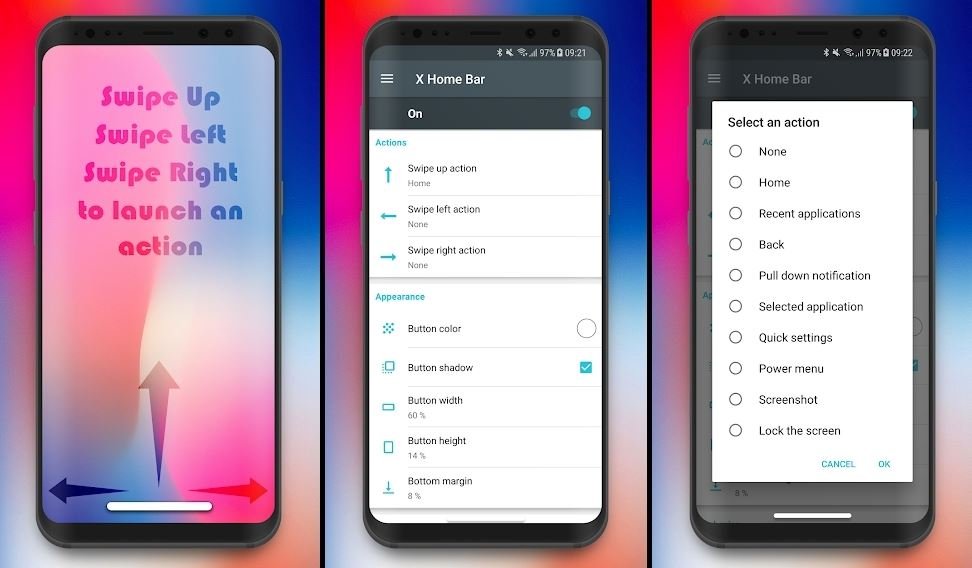
Although this app may make you feel like it mimics gestures from the iPhone X, it actually does not. X home bar will display a home bar at your screen’s bottom and it acts like the pill button from Android 9 rather than any features from iOS. If you pull the pill up, you get “Home”. When you swipe the pill to the left or right, you get “Back” or “Recent apps” respectively. When you double-click or tap on the pill, you can add more actions.
Navigation Gestures
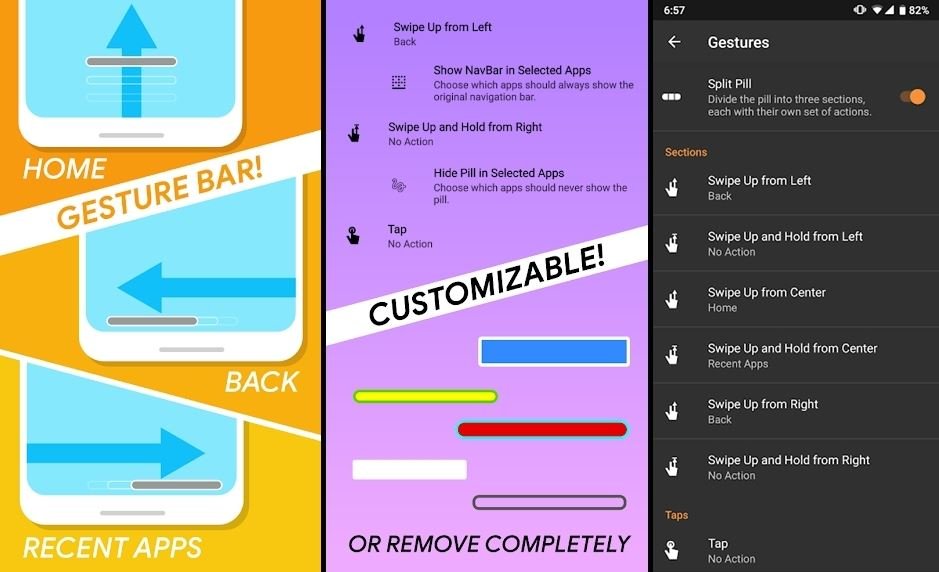
This app is provided by XDA Developer, which is a famous community for making various Android mods as well as utility apps. Navigation Gestures is quite similar to the previous ones; however, it brings about much more gestures, and let you divide the home bar into three areas.
The app gives you a gesture bar which looks like a pill. Tapping the bar will bring you to the home screen. The app can also understand tap-and-hold and double-tap gestures. Swiping the pill to the left is “Back” and to the right is the recent apps list. In addition, you can set up functions for swiping down or up and swipe-and-hold on the pill.
Finally, the pill can be split into three areas, which makes the pill run along the bottom border. You can set different functions for each area, which makes a total of 14 commands.
Swiftly Switch
This one is fun. Swiftly Switch adds bars along the right and left sides of your phone’s display, one of which is free. If you swipe inwards, the bars will expand to reveal navigation controls, recent apps, favorite toggles, and favorite apps. To activate an app, you just need to drag your finger to it. The app allows you to customize both control behaviors and the apps displayed.
Featured Stories
Gadgets - Sep 30, 2026
ATK Dragonfly A9 Ultimate+ Gets a Magnetic Charging Dock
Gadgets - Jul 05, 2026
OneOdio Studio Max 2 Review: Built Like A DJ Headphone, Best Used At A Desk
Gadgets - Jul 01, 2026
Top 5 Most Expensive Headphones in 2026
Gadgets - Mar 08, 2026
Best Budget Keyboards of 2026
Gadgets - Feb 27, 2026
Top Budget-Friendly WiFi Routers for 2026
Gadgets - Feb 25, 2026
Top 4 Budget Rechargeable Wireless Mice
Gadgets - Feb 24, 2026
3 Budget Monitors That Reduce Eye Strain and Improve Productivity
Gadgets - Jul 21, 2025
COLORFUL Launches iGame Shadow II DDR5 Memory for AMD Ryzen 9000 Series
Gadgets - Jun 23, 2025
COLORFUL SMART 900 AI Mini PC: Compact Power for Content Creation
Review - Jun 18, 2025