Android 10 Lets You Do These 17 Things That You Couldn't Before
Dhir Acharya - Sep 08, 2019
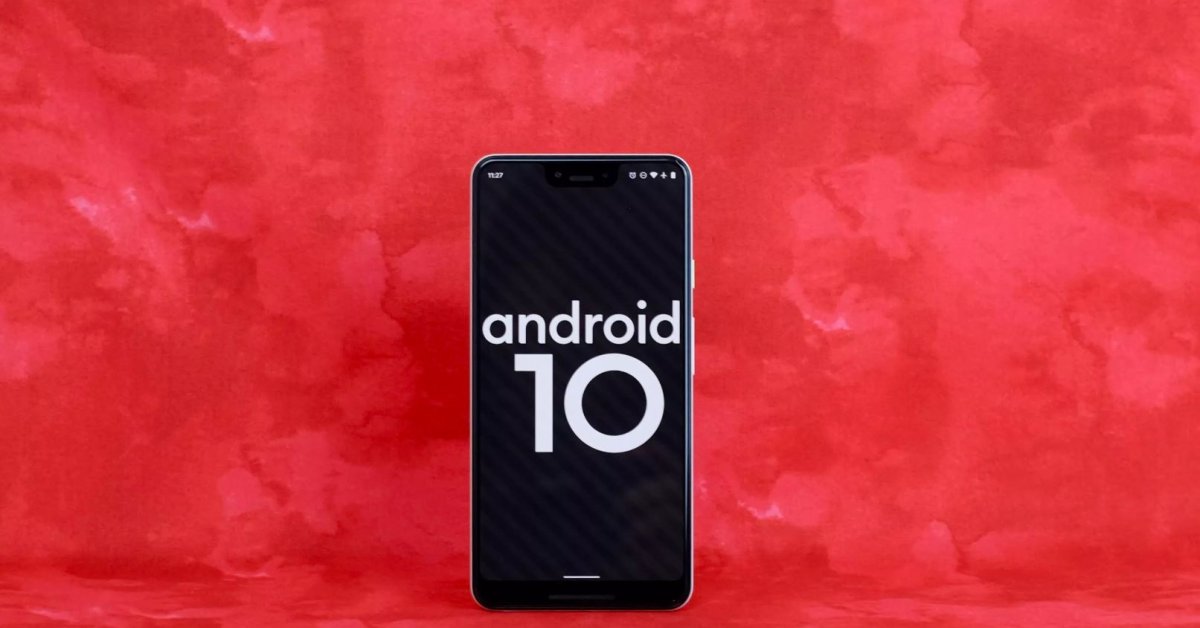
Android 10 is here and it’s coming to Pixel phones followed by other brands. And as soon as you get it on your phone, don’t wait to try these new features.
- 13 Underrated Google Wallet Features Youre Probably Ignoring (And Theyre Not Credit Cards)
- Google Pixel Battery Scandal Illustrates Why Capacity Rules the Smartphone Market
- Google's Project Toscana: Elevating Pixel Face Unlock to Rival Apple's Face ID
Android 10 is here, previously called Android Q, and it’s coming to Pixel phones followed by other brands. And as soon as you get it on your phone, don’t wait any longer to try these new features.
1. Smart Replies gets smarter
Previously, this feature let you select a preset message, but it can now recognize YouTube videos, Google Maps links as well as other URLs that you embed in your messages and allows you to jump to the relevant application straight from the pop-up notification. Google says that this functionality will come to other messaging apps.
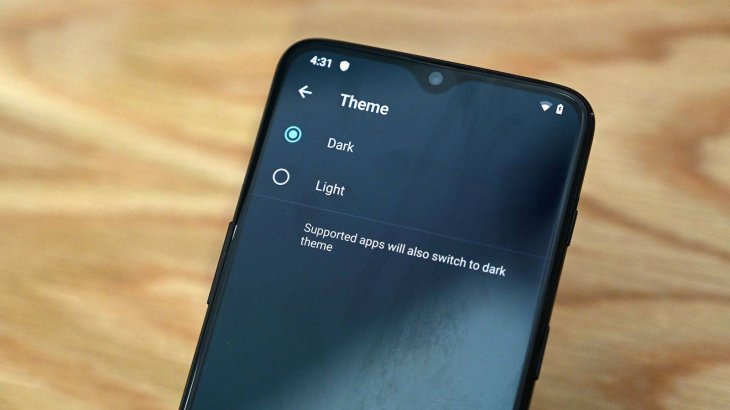
2. System-wide Dark theme
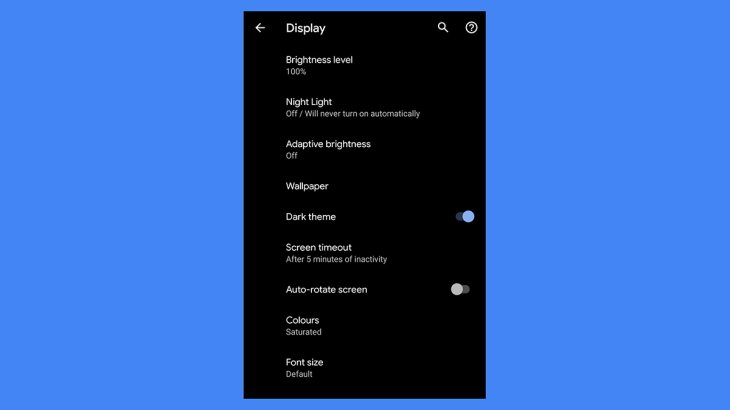
Android 10 now lets you enjoy a system-wide dark theme. To do this, visit the Settings apps on your phone, then select Display > Dark theme. You can also add it to Quick Settings by dragging the panel open then tapping the pencil icon.
3. Add Live Caption to your videos
This is one of the most impressive features in Android 10, it lets you add real-time captions to videos, including videos you captured and YouTube ones. This feature works offline too and will be first rolled out this fall to Pixel phones.
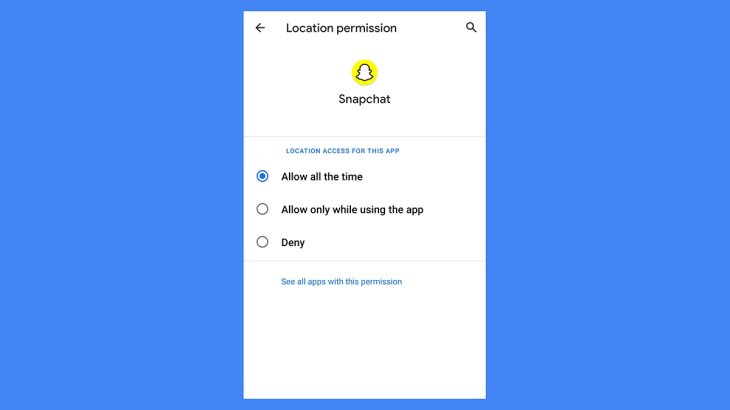
4. You can better control location sharing
With Android 10, you can choose how apps get your phone’s location: always, only when you open the app, or never. Additionally, the operating system will periodically remind you of apps which are accessing your location.
To change the Settings for a previously installed app, Head to Settings > Apps & Notifications, then select an app and tap on Permissions and Location.
5. New Focus mode
The Digital Wellbeing app now has the Focus mode, you can find it in Settings > Digital Wellbeing & parental controls > Focus mode. This feature allows you to pause alerts from certain apps. On the screen of Focus mode, pick the apps you want to mute temporarily, you can also add a shortcut to Quick Setting for faster access.
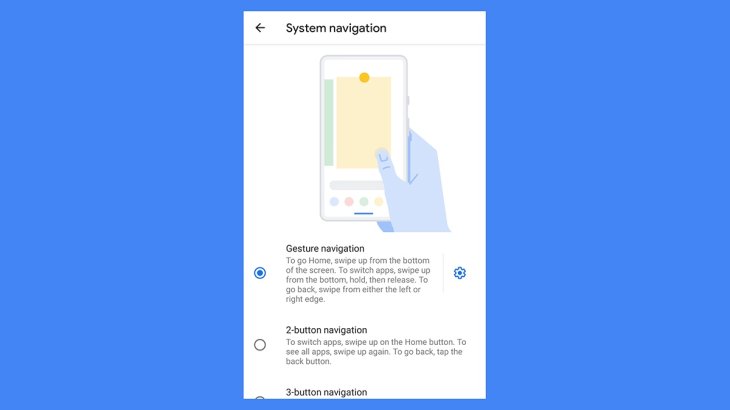
6. Gesture navigation
This may make it a bit easier for switching from iOS to Android as Google is ditching buttons and shift to gestures. If you want to change the input method on your phone, visit Settings > System > Gestures > System Navigation.
7. Easier privacy management
Just head to Settings > Privacy > Advanced, here, you can access Activity controls. Similar to the web, you can select how Google tracks you, you can also switch on the auto-delete feature to remove all of your digital tracks after a course of three or 18 months.
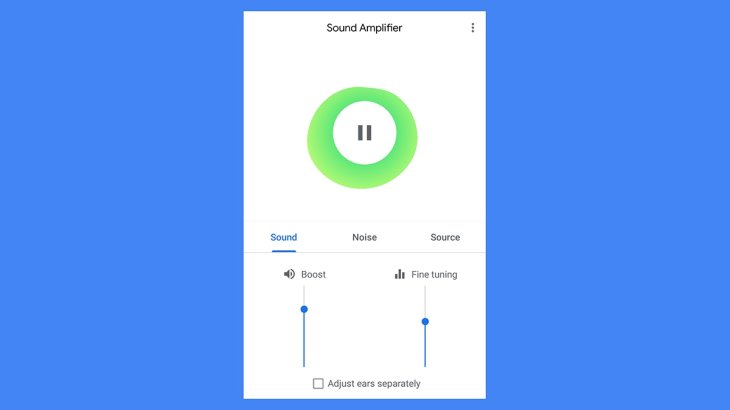
8. Amplify sounds and media
Android 10 is the first version of this OS to have this feature built-in. In Settings > Accessibility, you will find the add-on that allows you to decrease distracting noise in the background and boost key sounds from around you.
9. Faster security updates
Google is providing more security updates via Google Play instead of Android itself, which means your device is protected from the biggest threats even when the manufacturer isn’t updating Android. Apparently, most updates will take place in the background with new patches installed automatically.
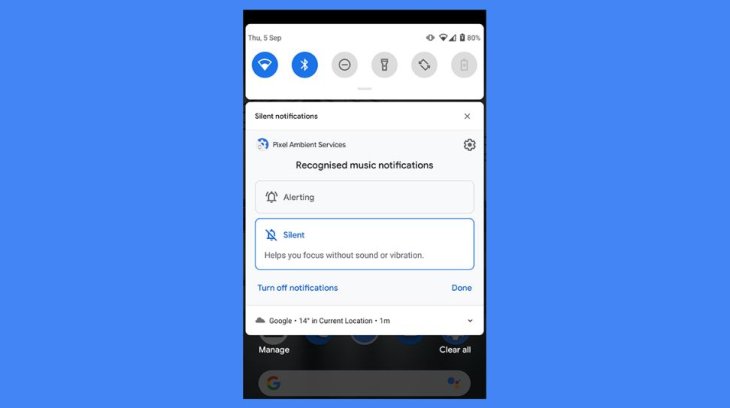
10. Silence notifications
This is another way you can use to stop notification overload, which won’t make your phone vibrate or ring. Also, silent notifications will not wake up the phone screen or pop up in the apps. However, you can see those updates in “Silent notifications” under the notification list.
If you want to change the setting for a certain app, you can either visit Settings > Apps & notifications or swipe right or left on one of its alerts then tap on the cog icon.
11. Use foldable devices
A handful of foldable phones have surfaced the market and they run on Android, but Android 10 will officially support their folding form factor, which means apps are not affected when you unfold your device.
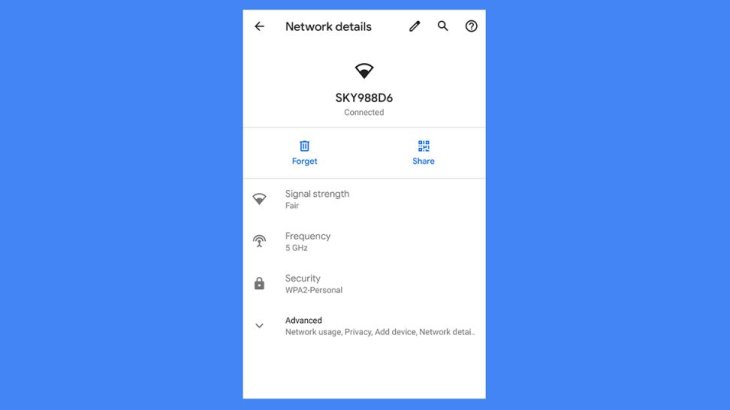
12. It’s now easier to share wifi networks
Head to Settings > Network & Internet > Wi-Fi and tap the network that you’re currently connected to. Now, press on the Share button and it will display a QR code that another user can scan with Android 10 phone camera to connect to that network. The wifi password is also displayed under the QR code.
13. Know when your battery will run out
The battery level icon at the top of Android 10 screen has been redesigned to let you know how much longer the battery will last. This could be more useful than just showing the percentage, but it’s only based on the intensity level you’re currently using the phone.
14. Scrub through audio from notification pop-ups
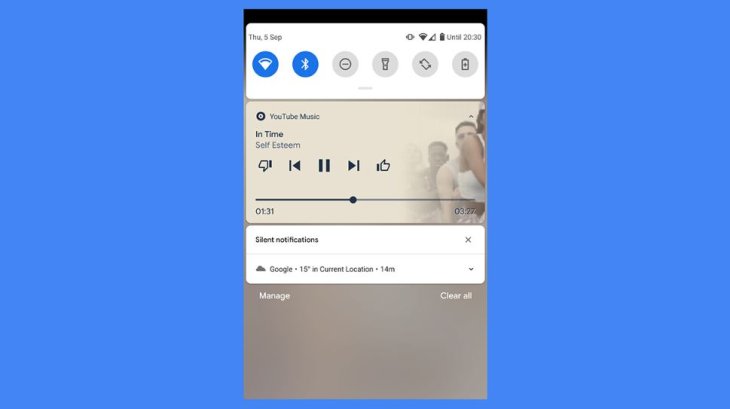
This is one of the little tweaks you can actually use, Android 10 will include a scrubbing bar shown on the persistent notification for audio player apps. This allows you to skip backward or forward in a song or whatever you’re playing without opening the app. Notably, the lock screen changes in corresponding to what that app is playing.
15. Easier sharing
With Android 10, the Share panel not only opens faster but it’s also arranged more intelligently to promote the apps and people you share to the most. Plus, you can see the dialog will show what you are actually sharing.
16. Change the interface
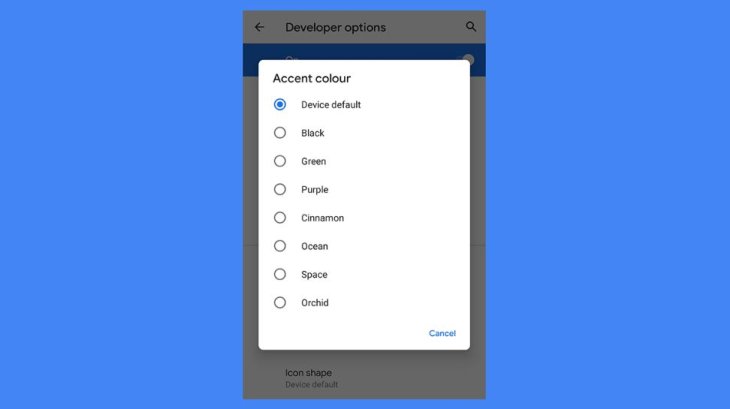
Visit Settings > System > Advance > Developer options, then scroll down till you see the Theming section. Here, you can make a few tweaks like changing the accent color for the whole system, the font for body text and headline, as well as the default icon shapes displayed on the screen.
17. Battery saver settings
Here’s where you get more control too. Android added a low battery mode several years ago, but it now gives you more options to decide when then mode kicks in and begins limiting the power used by apps. To do this, visit Settings > Battery > Battery Saver.
Featured Stories

Features - Mar 24, 2026
How to Use GeForce NOW to Play Video Games Without Actual Hardware

Features - Jan 29, 2026
Permanently Deleting Your Instagram Account: A Complete Step-by-Step Tutorial

Features - Jul 01, 2025
What Are The Fastest Passenger Vehicles Ever Created?

Features - Jun 25, 2025
Japan Hydrogen Breakthrough: Scientists Crack the Clean Energy Code with...

ICT News - Jun 25, 2025
AI Intimidation Tactics: CEOs Turn Flawed Technology Into Employee Fear Machine

Review - Jun 25, 2025
Windows 11 Problems: Is Microsoft's "Best" OS Actually Getting Worse?

Features - Jun 22, 2025
Telegram Founder Pavel Durov Plans to Split $14 Billion Fortune Among 106 Children

ICT News - Jun 22, 2025
Neuralink Telepathy Chip Enables Quadriplegic Rob Greiner to Control Games with...

Features - Jun 21, 2025
This Over $100 Bottle Has Nothing But Fresh Air Inside

Features - Jun 18, 2025
Comments
Sort by Newest | Popular